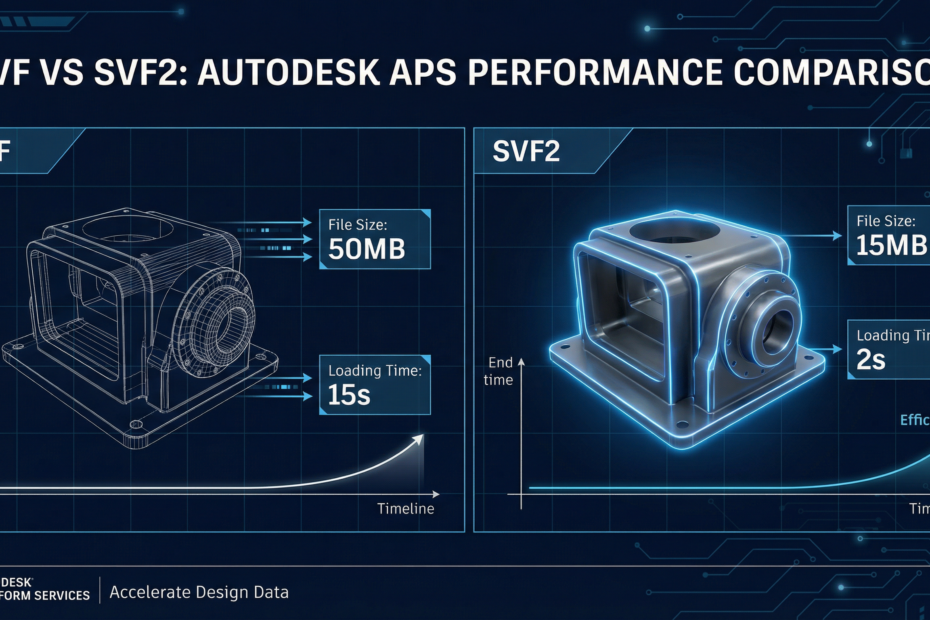
If you’re building on Autodesk Platform Services (APS, formerly Forge) and using the Model Derivative API to translate CAD/BIM files for viewing, you’ve encountered two output format options: SVF and SVF2. Which one you choose has a measurable impact on load performance, streaming behavior, and pipeline architecture—especially at scale.
What SVF and SVF2 Actually Are
SVF (Simple Viewer Format) is Autodesk’s original web-viewable format. When you translate a RVT, DWG, or other CAD file via the Model Derivative API, SVF produces a set of files that the Viewer SDK loads to render the model in a browser.
SVF2 is the second-generation format introduced to address SVF’s performance limitations at scale. It restructures the same geometry and metadata into a format optimized for streaming, sharing materials across a scene, and enabling progressive loading of large models.
Key Differences
| Dimension | SVF | SVF2 |
|---|---|---|
| Output file count | Many small files | Fewer, larger files |
| Loading strategy | Download all then render | Progressive streaming |
| Material sharing | Per-model | Cross-model (shared pack) |
| Large model support | Struggles at scale | Designed for large scenes |
| Time to first render | Slower | Faster (streaming) |
| Viewer SDK support | v7+ | v7+ (full from v7.50) |
| Storage size | Larger total | ~30-50% smaller |
What This Means for Your Pipeline
1. Translation Job Setup
To request SVF2, you specify it in the Model Derivative API job payload:
{
  "input": { "urn": "dXJuOmFkc2s..." },
  "output": {
    "formats": [
      {
        "type": "svf2",
        "views": ["2d", "3d"]
      }
    ]
  }
}
The job outputs go to your OSS bucket. SVF2 jobs typically take slightly longer to complete than SVF for the same model because of the additional packing step.
2. Viewer Initialization
Both formats load via the same Viewer SDK loadDocumentNode API. The viewer auto-detects the format from the manifest. No code change is needed on the viewer side when switching from SVF to SVF2—just ensure you’re on Viewer SDK v7.50 or later for full SVF2 support.
3. Metadata Extraction—No Difference
Whether you use SVF or SVF2 as output, the metadata extraction endpoints (object tree, properties, materials) behave identically. The format choice is purely a rendering/streaming optimization. If your primary use case is metadata extraction for downstream AI/ERP workflows, the format choice matters less—though SVF2 is still recommended for consistency if you’re also rendering.
Which Should You Use?
Use SVF2 for:
- New projects—SVF2 is the forward-looking format
- Large Revit or Navisworks models (>50MB source)
- Multi-model aggregation in a single viewer scene
- Any production application prioritizing load time
Use SVF for:
- Legacy integrations already in production
- Environments where SVF2 is not yet fully supported in your viewer version
- Prototypes/POCs where speed of setup matters more than performance
The Pipeline Architecture Implication
For teams building AI-enabled APS pipelines—where extracted metadata feeds into LLMs, quoting systems, or inspection agents—SVF2 reduces your infrastructure cost (fewer bytes in/out of OSS) and improves the user experience when engineers need to view drawings alongside AI outputs. Treat the format choice as an infrastructure decision you make once, early, and enforce consistently across your translation pipeline.
Building an APS pipeline for industrial workflows?
Kamna builds end-to-end APS integration—from Model Derivative translation to AI agents that read and act on your CAD data. See our APS consulting services or book a discovery call.
Book a Discovery Call →