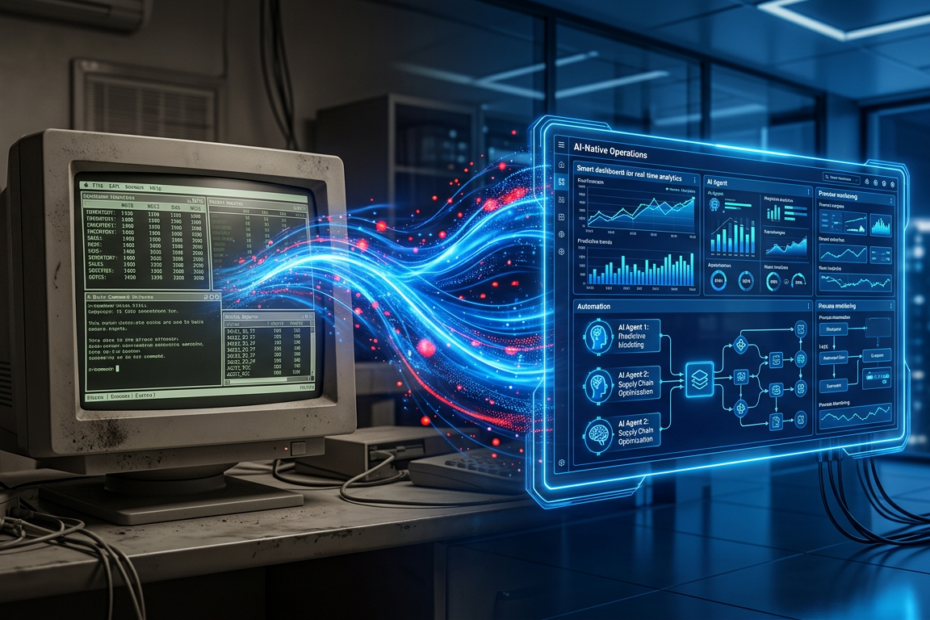
If you’re a manufacturing SMB running SAP Business One, Dynamics NAV, Sage, Epicor, or a custom-built ERP — and you feel stuck — you’re not alone. Over 70% of manufacturing SMBs operate on ERP systems that are 10–20 years old, according to Panorama Consulting’s annual ERP report. These systems work. They hold your financials, manage your orders, and track your inventory. But they weren’t built for AI, and they can’t deliver the intelligent automation that your competitors are starting to deploy.
The conventional wisdom says you have two options: rip and replace your ERP with a modern cloud system (at a cost of €500K–€2M+ and 12–24 months of disruption), or stay stuck. Both options are bad. A full ERP migration is the most expensive and risky IT project a manufacturer can undertake — and the failure rate is stubbornly high, with Gartner estimating that 55–75% of ERP projects fail to meet their objectives. But doing nothing means falling further behind as competitors adopt AI for forecasting, procurement, quality, and scheduling.
There’s a third option: the AI overlay. Deploy intelligent agents on top of your existing ERP — extracting data, enhancing it with AI, and pushing actions back — without replacing the system that runs your business. This guide shows you how.
Why Rip-and-Replace Is the Wrong Answer for Most SMBs
ERP vendors and implementation partners have a strong incentive to sell you a new system. A full ERP migration generates significant licence and services revenue. But the reality for manufacturing SMBs is sobering:
- Cost: A mid-market ERP replacement (e.g., migrating from Sage to NetSuite or SAP S/4HANA Cloud) typically costs €300K–€1.5M for a manufacturer with €10M–€50M revenue, including licence, implementation, data migration, customisation, and training. For larger SMBs (€50M–€100M), costs easily exceed €2M.
- Timeline: 12–24 months is standard. 18+ months is common for manufacturers with complex operations. During migration, your teams are split between maintaining the old system and learning the new one. Productivity dips are real and measurable — typically 10–20% for 3–6 months post-go-live.
- Risk: Data migration is the biggest risk. Decades of transactional history, customer-specific pricing, supplier records, and custom workflows need to be mapped, cleansed, and transferred. Any errors propagate into your new system and can take months to surface. The operational disruption risk is why many manufacturers delay ERP replacement indefinitely — even when they know their current system is limiting them.
- Opportunity cost: The money and management attention spent on an ERP migration could instead be invested in AI capabilities that deliver ROI in 60–90 days. While you’re spending 18 months migrating to a new system, your competitor is deploying AI agents that are already optimising their inventory and automating their procurement.
None of this means ERP modernisation is never the right move. For some manufacturers, the legacy system is truly end-of-life and must be replaced. But for the majority of SMBs with functioning ERPs that just lack AI capabilities, the overlay approach is faster, cheaper, and lower-risk.
The AI Overlay Approach: Intelligence on Top of Legacy Systems
The AI overlay pattern is simple in concept: instead of replacing your ERP, you deploy AI agents that sit on top of it. These agents read data from your ERP, apply AI models and business logic, and write actions back — purchase orders, forecast updates, quality alerts, scheduling recommendations. Your ERP remains the system of record. The AI layer is the system of intelligence.
This approach has several structural advantages:
- No disruption to existing operations: Your ERP keeps running exactly as it does today. Users interact with the same screens, the same processes, the same reports. AI capabilities are added alongside, not instead of, existing workflows.
- Incremental deployment: You don’t have to go all-in. Start with one AI capability — demand forecasting, supplier evaluation, or quality inspection — and expand over time. Each capability is independent; a problem in one doesn’t affect the others.
- Faster time to value: An AI overlay can be deployed in 30–60 days for a focused use case. Compare that to 12–24 months for an ERP replacement. The math is straightforward: AI overlay delivers value 10x faster at a fraction of the cost.
- Preserves institutional knowledge: Your ERP contains decades of transactional history, custom pricing rules, supplier relationships, and operational knowledge embedded in configurations and workflows. An AI overlay leverages that knowledge rather than discarding it in a migration.
- Platform independence: AI agents built with clean integration patterns work across ERP systems. If you do eventually migrate your ERP, the AI layer transfers with minimal rework. You’re building AI capability that’s durable, not locked to a specific platform.
Integration Patterns: How AI Connects to Legacy ERP
The practical question is: how does the AI agent actually talk to your legacy ERP? There are four common integration patterns, each suited to different system architectures and IT capabilities.
API-based integration
Modern versions of SAP Business One, Dynamics NAV/Business Central, Sage X3, and Epicor expose REST APIs for reading and writing data. This is the cleanest integration pattern: the AI agent calls the API to extract transaction data, inventory levels, PO records, and supplier information, processes it through AI models, and writes back via API — creating POs, updating forecasts, or generating alerts. API-based integration is real-time, bidirectional, and maintainable. It’s the preferred pattern when your ERP supports it.
Middleware-based integration
When your ERP’s API is limited or you need to integrate multiple systems simultaneously, middleware platforms (MuleSoft, Dell Boomi, or open-source alternatives like Apache Camel) act as a translation layer. The middleware handles data extraction, transformation, and routing between the ERP and the AI agents. This pattern is ideal for manufacturers running multiple systems — ERP, MES, QMS, CRM — that all need to feed data to the AI layer.
RPA (Robotic Process Automation) integration
For truly legacy systems — green-screen terminals, systems with no API, heavily customised platforms — RPA bots can interact with the ERP through the user interface, just like a human user. The RPA bot logs in, navigates screens, extracts data, and performs actions. This isn’t elegant, but it works for systems where no other integration method is feasible. Think of RPA as the “last resort” integration pattern — use it when you must, prefer APIs when you can.
File-based integration
The simplest pattern: the ERP exports data as CSV, XML, or flat files on a scheduled basis. The AI agent picks up the files, processes them, and generates output files that are imported back into the ERP. Nearly every legacy system supports file export/import. The trade-off is latency — file-based integration is batch-oriented, not real-time. For use cases like weekly demand forecasting or monthly supplier evaluation, batch processing is fine. For real-time alerts or automated PO creation, you’ll want API or middleware integration.
Most manufacturers use a combination of these patterns. The key principle: meet the ERP where it is, not where you wish it was.
Data Readiness: Assessing What You Have
AI needs data. But the good news for manufacturers is that you already have more usable data than you think. Your ERP contains years of transactional history — sales orders, purchase orders, production orders, inventory movements, supplier records, customer records. The question isn’t whether you have enough data. It’s whether the data is accessible and clean enough to be useful.
Common data quality issues in legacy ERPs
- Duplicate records: The same supplier entered three times with slightly different names. The same item with multiple codes. Customer records that were never deduplicated after a merger. These duplicates confuse any analytical system and need to be reconciled — not necessarily fixed in the ERP, but reconciled in the AI layer.
- Inconsistent units of measure: Some items tracked in kilograms, others in pounds, others in “each” that means different things for different items. Historical data may have changed units mid-stream. AI models need consistent units; the data pipeline must handle conversion and normalisation.
- Missing or stale master data: Lead times that haven’t been updated in years. Costs that reflect last year’s pricing. Supplier performance data that was never recorded systematically. The AI layer needs to be robust to missing data — using defaults, imputations, and confidence-weighted decisions rather than failing when a field is blank.
- Incomplete transaction history: Some legacy ERPs purge old transactions to manage database size. Others have gaps from system changes, migration artefacts, or manual data entry errors. AI models work best with 2–3 years of history, but can produce useful results with as little as 6–12 months if the data is representative.
- Unstructured operational knowledge: Critical information lives outside the ERP: in spreadsheets, emails, shared drives, and people’s heads. Supplier quality notes, customer delivery preferences, production tips, and exception rules that planners know but the system doesn’t. Capturing this knowledge — even partially — into the AI layer creates significant value.
A data readiness assessment typically takes 1–2 weeks and answers three questions: What data do you have? What state is it in? What needs to happen to make it usable for AI? This assessment doesn’t require fixing everything — it identifies what can be used now, what needs light cleansing, and what can be addressed later.
A Phased Approach to AI Transformation
The biggest mistake manufacturers make with AI is trying to do too much at once. The second biggest mistake is waiting for conditions to be perfect before starting. The right approach is phased: start small, prove value, expand.
Phase 1: Read-only analytics and insights (Weeks 1–6)
Start by connecting AI to your ERP in read-only mode. No writes, no automation, no risk to existing operations. The AI agent extracts data, analyses it, and presents insights: demand trends, supplier performance patterns, inventory health metrics, and anomaly detection. This phase builds trust with the team, identifies data quality issues, and generates quick wins — often revealing insights that the team knew intuitively but couldn’t quantify. A manufacturer might discover that 30% of their inventory hasn’t moved in 12 months, or that one supplier accounts for 60% of their quality rejections, or that demand patterns shifted significantly in the last two quarters without their planning parameters being updated.
Phase 2: AI-assisted recommendations (Weeks 6–12)
Now the AI agent starts making recommendations: “Based on current demand trends and supplier lead times, you should increase the safety stock for these 15 SKUs and reduce it for these 20.” “Supplier X’s delivery performance has degraded — consider splitting the next order with Supplier Y.” “Demand for Product Group A is trending 20% above forecast for the next quarter — production schedule should be adjusted.” These are recommendations, not actions. Humans review and decide. But the AI is doing the analytical heavy lifting that used to require hours of manual data crunching. This phase typically reduces planning effort by 30–50% and improves decision quality by surfacing signals that manual processes miss.
Phase 3: Autonomous agents with human oversight (Weeks 12+)
Once the AI has proven its accuracy and the team trusts it, move to autonomous execution with human oversight. AI agents create purchase orders, generate replenishment plans, adjust safety stock parameters, and flag exceptions — all automatically. Humans review dashboards, approve high-value decisions, and handle the exceptions that the AI escalates. This is where the full value of AI transformation is realised: not just better insights, but fewer manual transactions, faster cycle times, and a team that operates strategically rather than reactively.
Critically, the move from Phase 2 to Phase 3 is based on earned trust. The AI earns it by being consistently right during Phase 2. Teams that skip Phase 2 and jump straight to automation face resistance and rollback. Teams that spend 6–12 weeks in Phase 2 build the confidence needed for Phase 3 adoption.
Addressing the Fear Factor: AI as Augmentation, Not Replacement
The biggest barrier to AI adoption in manufacturing isn’t technology — it’s people. Production planners, buyers, quality managers, and shop floor supervisors have built careers on their expertise. When AI enters the picture, the natural fear is: “Am I being replaced?”
The honest answer: no, but your job will change. AI automates the transactional, repetitive parts of the role — data entry, report generation, routine decisions, manual follow-ups. It doesn’t automate the human parts: supplier relationship management, exception handling, judgment calls in ambiguous situations, cross-functional coordination, and the deep domain expertise that comes from years of experience.
The most effective way to address this is transparency and involvement:
- Involve the team from day one: The planner who runs inventory today should be part of the AI pilot. Their knowledge is essential for validating AI recommendations and configuring business rules. When they help build it, they own it.
- Show the “augmentation math”: “You currently spend 4 hours per day on PO creation and follow-up. AI will handle 80% of that. Those 3 hours are now available for supplier negotiation, cost reduction projects, and exception management — the work you’ve never had time for.”
- Start with the pain: Focus AI on the tasks that the team actively dislikes or finds tedious. Nobody loves manually matching 200 invoices per week. When AI takes that over, the reaction is relief, not fear.
- Communicate that AI creates new roles: AI operations require new skills — monitoring AI performance, tuning business rules, managing exceptions, and continuously improving workflows. The planner becomes an AI-augmented planner; the buyer becomes an AI-augmented buyer. Their domain expertise is more valuable with AI, not less, because they’re the ones who ensure the AI operates correctly in the real world.
Deloitte’s research shows that manufacturers who invest in change management alongside AI deployment achieve 2.5x higher adoption rates and 3x faster ROI compared to those who focus on technology alone. The human side of AI transformation is not optional — it’s the difference between a working system and a shelf-ware project.
Who Is This For? Target Profile for the AI Overlay Approach
The AI overlay approach is ideal for manufacturing SMBs with the following profile:
- Revenue of €5M–€100M: Large enough to have meaningful operational complexity, but not so large that a €2M+ ERP replacement is a rounding error. For this cohort, the AI overlay delivers disproportionate value relative to investment.
- Running a legacy ERP: SAP Business One, Dynamics NAV, Sage (any version), Epicor, SYSPRO, Infor, or custom-built systems. The system works for basic operations but can’t deliver AI-powered automation.
- No plans for near-term ERP replacement: If you’re 12+ months from even starting an ERP migration, the AI overlay gives you AI capabilities now — without waiting for the new system.
- Operational pain that’s costing money: Stockouts, excess inventory, procurement inefficiency, quality escapes, scheduling chaos. If your current processes are “fine,” the urgency is lower. If they’re costing you 5–15% of revenue in avoidable waste, the AI overlay pays for itself quickly.
- Lean teams: If you have 1–3 people doing planning, procurement, or quality — and they’re at capacity — AI augmentation has the highest impact. You’re not adding headcount; you’re multiplying the capacity of the team you have.
Frequently Asked Questions
Do I need to clean up my ERP data before deploying AI?
No. The AI overlay approach is designed to work with imperfect data. During the initial assessment phase, obvious data quality issues are identified and addressed in the AI layer — through deduplication logic, normalisation rules, and intelligent defaults. You don’t need a data cleansing project before starting. In fact, the AI itself helps identify data quality issues that you can address over time. Starting with perfect data is a recipe for never starting.
Will AI integration break my existing ERP or disrupt operations?
The phased approach specifically mitigates this risk. Phase 1 is read-only — the AI extracts data but writes nothing back. There is zero risk to existing operations. Phase 2 adds recommendations, still with no automated writes. Only in Phase 3 does the AI begin writing back to the ERP — and even then, it’s within controlled boundaries with human approval for high-value actions. Each phase is validated before proceeding to the next. If anything goes wrong, you roll back to the previous phase with no operational impact.
How long before AI agents can run autonomously on my legacy ERP?
Typically 12–16 weeks from project start to autonomous operation, following the three-phase approach. Phase 1 (read-only analytics) takes 4–6 weeks. Phase 2 (AI-assisted recommendations) runs for 4–6 weeks. Phase 3 (autonomous agents with oversight) begins after Phase 2 validates accuracy and builds team trust. Some workflows — like automated PO creation for routine replenishment — can reach autonomous operation faster (8–10 weeks) because they’re lower risk and more deterministic.
What happens to the AI layer if I eventually replace my ERP?
This is one of the key advantages of the overlay approach. Because the AI layer connects to the ERP through standard integration patterns (APIs, middleware, or files), switching the ERP underneath requires re-pointing the integrations — not rebuilding the AI. The AI models, business rules, and workflow automation transfer to the new ERP. Think of it as changing the foundation without rebuilding the house. Manufacturers who deploy AI overlays now and migrate ERP later get the best of both worlds: AI value today and a smoother ERP migration when the time comes.
Can this approach work for heavily customised ERP systems?
Yes. Many manufacturing SMBs run ERPs with significant customisations — custom modules, bespoke reports, modified workflows, and proprietary integrations. The AI overlay works at the data level, not the application level. As long as data can be extracted (via API, database query, file export, or RPA), the AI layer can process it. Custom fields and non-standard data structures are handled through configurable data mapping — they’re not a barrier. In fact, the overlay approach is often better suited to heavily customised ERPs than ERP replacement, because replacing a customised system means re-implementing all those customisations in the new platform.
Start the Transformation Without the Migration
The manufacturing SMBs that will lead their industries in the next decade aren’t the ones with the newest ERP systems. They’re the ones that deploy AI to make their existing systems intelligent. Your legacy ERP isn’t a dead end — it’s a foundation. AI agents can extract its data, enhance its capabilities, and automate its workflows without touching its core. The path from legacy ERP to AI-native operations doesn’t require a €2M migration project. It requires a focused, phased approach that proves value in weeks and compounds over time.
Kamna’s AI supply chain intelligence is built specifically for this: manufacturing AI that works on top of SAP, Dynamics, Sage, Epicor, and custom ERPs — no replacement required. Start with our AI Incubation Lab to run a 30–45 day pilot on your highest-pain workflow. We’ll assess your data, deploy an AI agent on your legacy system, and deliver measurable results — so you can see the value before committing to a broader transformation.